Official Eufy E25/E28 Parts vs a Compatible Kit: What UK Buyers Should Check
Short answer: choose official Eufy parts when OEM branding is the main requirement; consider a compatible kit when the model match, contents, price, delivery and returns route are clear. The important thing is not the label alone, but whether the parts match your E25 Omni or E28 Omni before you fit them.
The Accessorie pack is presented as a compatible replacement kit for Eufy E25 Omni and Eufy E28 Omni robot vacuum cleaners. It is not an official Eufy OEM kit, so UK buyers should treat it as a value-led maintenance option and check fit carefully.
Decision table
| Buying question | Official parts | Compatible kit |
|---|---|---|
| Brand provenance | Best when you specifically need Eufy-branded OEM packaging. | Best when you accept a non-OEM accessory after checking compatibility. |
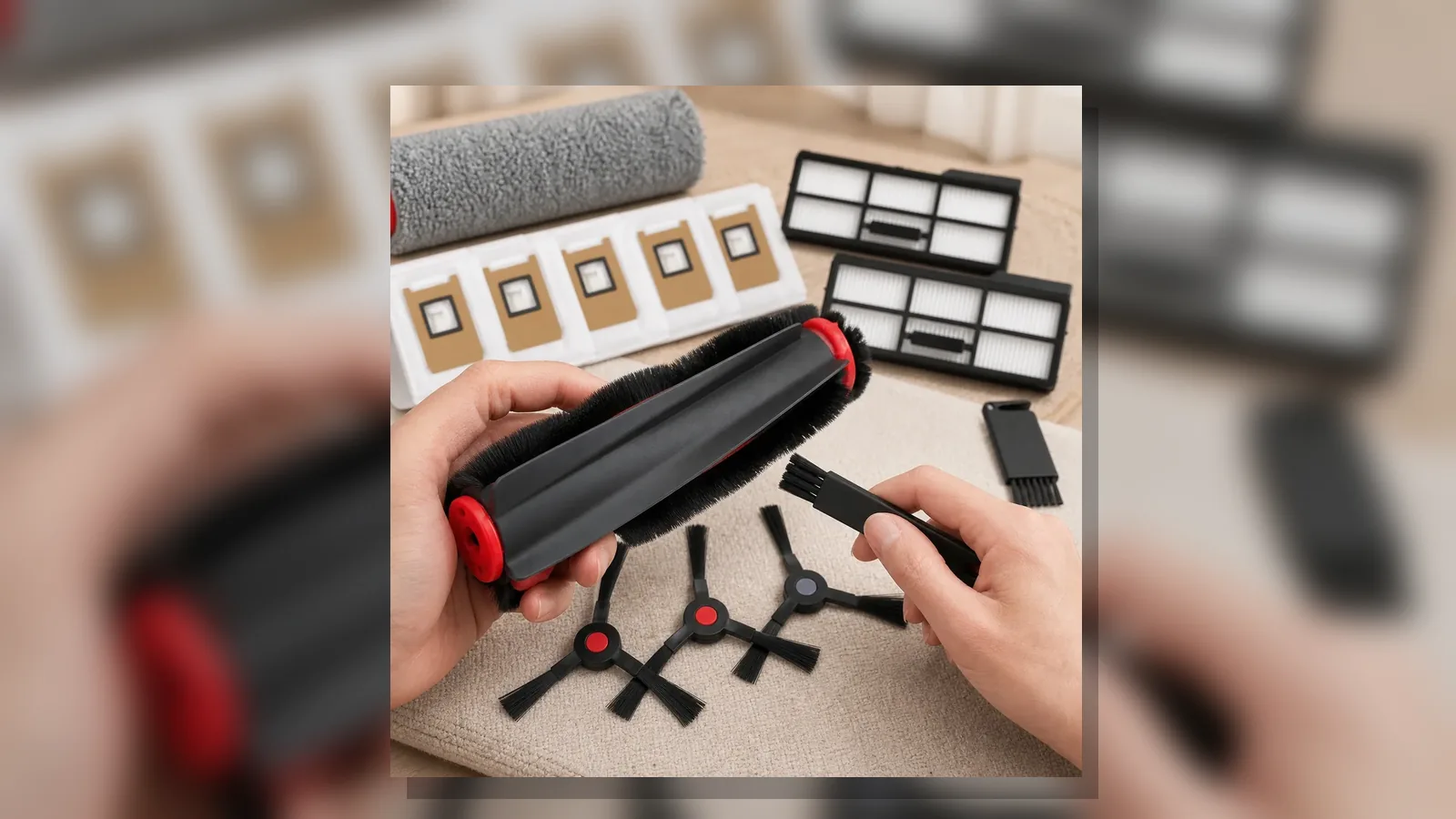
| Contents | You may buy only the single part you need, depending on availability. | The Accessorie listing groups common consumables in one pack: brush, mop, side brushes, filters, dust bags and tool. |
| Model check | Still check the exact model line before ordering. | Check especially carefully: the current listing scopes the kit to E25 Omni and E28 Omni. |
| Returns risk | Depends on the retailer and package condition. | Read the product page and returns route before opening or fitting parts. |
What the Accessorie kit includes
The current product page lists 15 pieces: 1 main brush, 1 roller mop, 4 side brushes, 2 filters, 6 dust bags and 1 cleaning tool. That mix suits owners who want to refresh several routine consumables without placing separate small orders.
The listing also says the kit is intended for Eufy E25 Omni and Eufy E28 Omni robot vacuum cleaners. If your machine is from another Eufy line, or if the existing parts look different from the product images, do not force the fit.
When official parts may be the better choice
- You need Eufy-branded OEM packaging for your own records.
- Your robot vacuum is under a support case where the manufacturer has asked for official parts.
- You only need one exact component and do not want spare bags, filters or brushes.
- You cannot confirm that your model is E25 Omni or E28 Omni.
When a compatible kit can make sense
- Your model label says E25 Omni or E28 Omni.
- You want several routine consumables in one order.
- You have compared the existing brush, mop, filters and bags with the listing images and contents.
- You are comfortable using a compatible, non-OEM replacement and keeping the support route handy if something does not match.
Pre-purchase checklist
- Confirm the exact model name on the robot or station.
- Compare the installed brush, side brushes, roller mop, filter and bag shape with the product photos.
- Check the listed kit contents against the parts you actually need.
- Read delivery, returns and support details before fitting consumables.
- Stop if a part needs force to install; a correct consumable should match the machine cleanly.
Next step
Use the current product details page to compare the listed contents with your E25 Omni or E28 Omni before deciding between official and compatible parts.