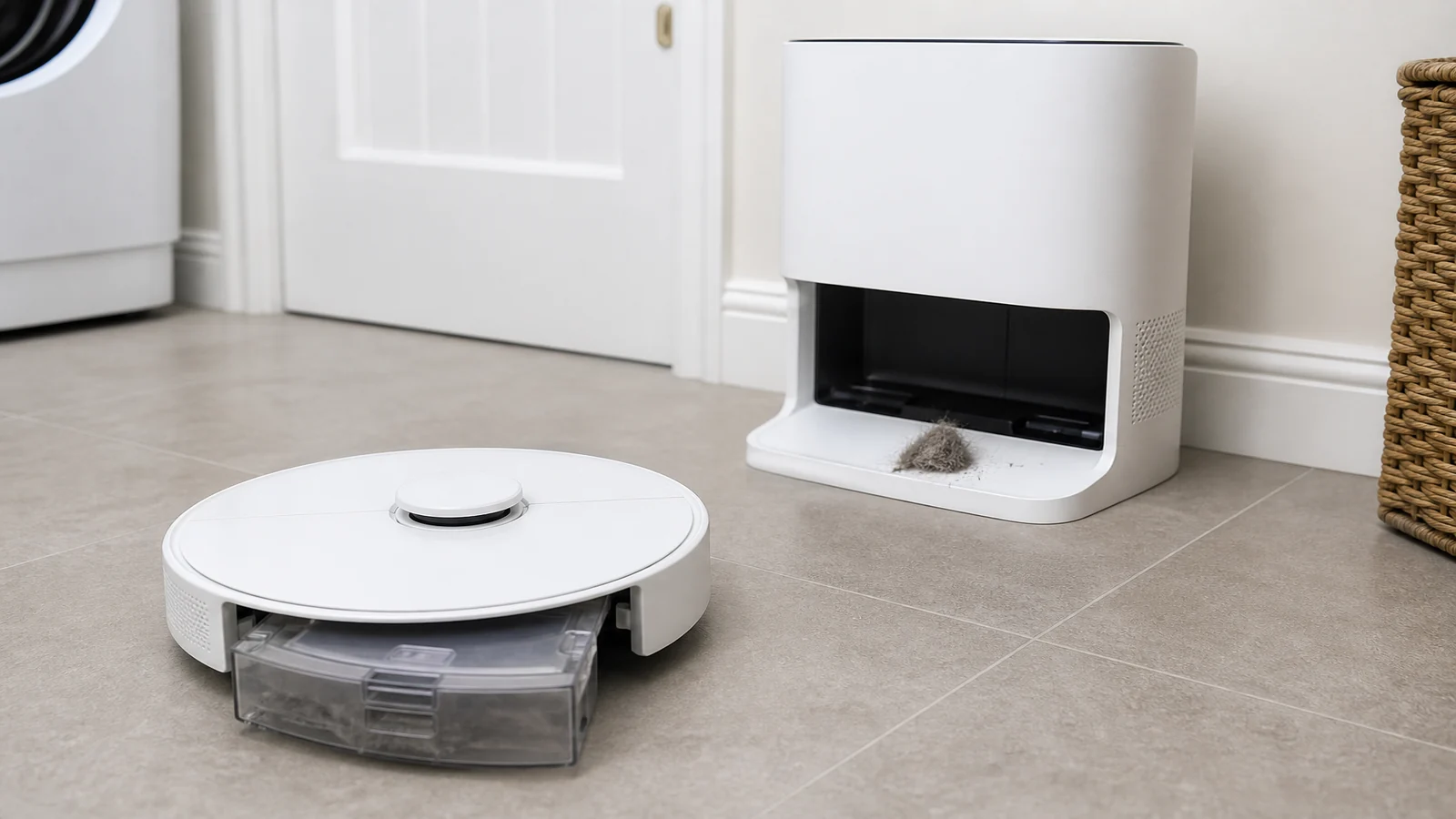
Eufy E25 E28 Not Emptying Dustbin Completely: A UK Checklist
If an Omni E25 or E28 leaves debris in the robot dustbin after a dock empty, start with the quickest safe checks: unplug the station, confirm the dust bag is seated and not full, clean the robot bin and filter, then look for hair at the dustbin outlet. Only after that should you change Pet Mode or empty frequency, and only later should you follow the official station air-duct step.
Incomplete emptying is usually a blocked path or a full bag, not a reason to open sealed electronics. Work the ladder below and stop when the bin empties or when a support step is required.
What is the quickest safe check?
Unplug the station. Open the robot dustbin and look. If it is packed, the last empty did not finish. Then open the station lid and inspect the bag. Official E25/E28 suction help says a full dust bag can reduce dust collection, and it tells you to replace the bag periodically. The same page lists two typical causes of weak suction that also matter here: a blocked dustbin outlet, and a blocked airflow path. Read E25/E28 weak suction troubleshooting before you assume the motor has failed.
eufy also publishes E25/E28 dust-emptying troubleshooting as the model-specific route for this symptom. Use that article together with the suction checks, rather than mixing steps from unrelated robot families.
Quick pass, still unplugged:
- Bag present, handle closed, lid shut, bag not obviously packed.
- Robot filter seated and not wet.
- No hair plug at the dustbin outlet you can see with the bin in your hand.
If those three are wrong, fix them before you change app settings. After any clean, refit the bin until it clicks, dock the robot fully, restore power, and watch one empty cycle from a few metres away. Listen for a short transfer, then lift the robot bin again. Debris still sitting in the same corner means the path is not clear yet, even if the bag looks only partly used.
How do pets change the auto-empty setup?
Pet hair mats at outlets and fills both the small robot bin and the station bag faster. Official E25/E28 guidance for homes with pets is to enable Pet Mode and set dust collection to every 15 minutes when empties are currently less often than every 30 minutes. More frequent empties reduce the chance that hair sets in the robot bin between dock visits. They also fill the station bag sooner, which is expected.
If you skipped Pet Mode and run long vacuum-only jobs in a shedding home, incomplete emptying is a likely result even with a healthy bag. Change the documented settings only after the physical path is clear, or you will empty more often into a blocked outlet.
Which blockage points can I inspect without dismantling the station?
Stay on user-accessible parts. You can inspect:
- The robot dustbin interior, filter and outlet.
- The station bag, bag cavity and station filter, using the handling sequence in Tips on Using the Self-Empty Station and Dust Bag (lift cover, pull handle, close handle to avoid spills, fit a clean bag, close the lid, and keep the station filter clean). That page is written for other self-empty models; use the handling steps, not a claim that every E25 internal duct looks the same.
- Hair on the dock inlet where the robot parks, without prying plastic that is not a stated user cover.
The official E25/E28 suction article then describes a further station check: unplug, turn the base upside down, remove the lower air-duct cover, and clear the duct with a thin rod 30 cm or longer, drying any moisture before reassembly. That is a manufacturer step, not a licence to strip the motor. If you cannot refit the cover, stop.
Diagnostic ladder for incomplete emptying
- Power. Unplug the station. Do not probe inlets while it can still run an empty cycle.
- Bag. Reseat or replace. The UK eufy 3L dust bag for E25 and E28 is the official sealed 3 litre bag listing, with an up-to-75-day claim that varies with the home. A packed bag is a replace, not a wash.
- Robot bin and filter. Clean both; dry fully.
- Dustbin outlet. Pull out hair and objects you can see.
- Station filter and cavity. Clear packed dust on user-serviceable surfaces.
- Pet Mode and 15-minute empties if the home has pets and empties were infrequent.
- Official lower air-duct cover step only if the bin still retains debris and the path above is clean.
- Support. If emptying still fails, use the E25/E28 dust-emptying article and contact eufy rather than improvising further disassembly.
When is a new bag or filter relevant?
A new bag is relevant when the current bag is full, wet, torn, or will not seat so the lid closes. A new robot filter is relevant when the installed filter is torn, crushed, or still blocks airflow after a proper clean and dry. Neither part fixes a hair plug left in the outlet. Buy replacements after the inspection names the spent item, not as the first reaction to one incomplete empty.
Who this article is not for
This article is not for other robot vacuum models. It is not a teardown of sealed motors or a wiring repair. It is not for owners who want to wash and reuse a sealed station bag. It is not a performance guarantee for third-party bags or filters.
When should I stop and request service?
Stop and request service if the robot bin still holds a similar load after a seated new bag, a clean dry filter, a clear outlet, and the official air-duct check if you used it. Stop if you smell burning, see melted plastic, or cannot refit a cover. Unplug and leave the station unused. Stop if water is in the air duct and you cannot dry it. Do not keep commanding empty cycles through a blockage you cannot see.
If the ladder shows a spent bag or filter, you can review the E25 and E28 replacement accessories kit after you have confirmed which part actually needs replacing.