eufy e25 omni weak suction after months of use
If you notice eufy e25 omni weak suction after months of use, treat it as a consumables and airflow check first: empty the station bag, inspect a fully dry filter, clear main-brush wraps, then check side brushes and ducts before you consider replacing worn parts from a Compatible E25 Omni / E28 Omni refill kit.
Normalise the symptom: pickup often fades after months of UK dust/hair — start with consumables, not a new robot
After months of everyday cleaning, UK dust, pet hair and fine grit build up in the parts that move air and debris. Weak pickup is often a maintenance issue, not a reason to replace the whole robot. Start with the bag, filter, brushes and ducts that sit in the airflow path, then only move on to worn replacements if cleaning does not restore normal behaviour.
Ordered ladder: empty station bag → tap/inspect filter (fully dry rule) → clear main brush wraps → check side brushes and ducts
- Empty the station bag. A full or nearly full dust bag restricts airflow and can make suction feel weak at the robot.
- Tap and inspect the filter — keep it fully dry. Remove loose dust by tapping; look for clogging or damage. If your filter is washable under the robot’s own guidance, only reinstall it when it is completely dry. A damp filter can restrict airflow and should never go back in wet.
- Clear main-brush wraps. Hair and threads around the main brush reduce agitation and can make pickup look like a suction fault.
- Check side brushes and ducts. Bent or tangled side brushes leave debris behind; blocked ducts between the robot and station also starve airflow. Clear obvious debris carefully without forcing parts.
When cleaning is not enough: replace worn filter/brush/bag from a Compatible kit
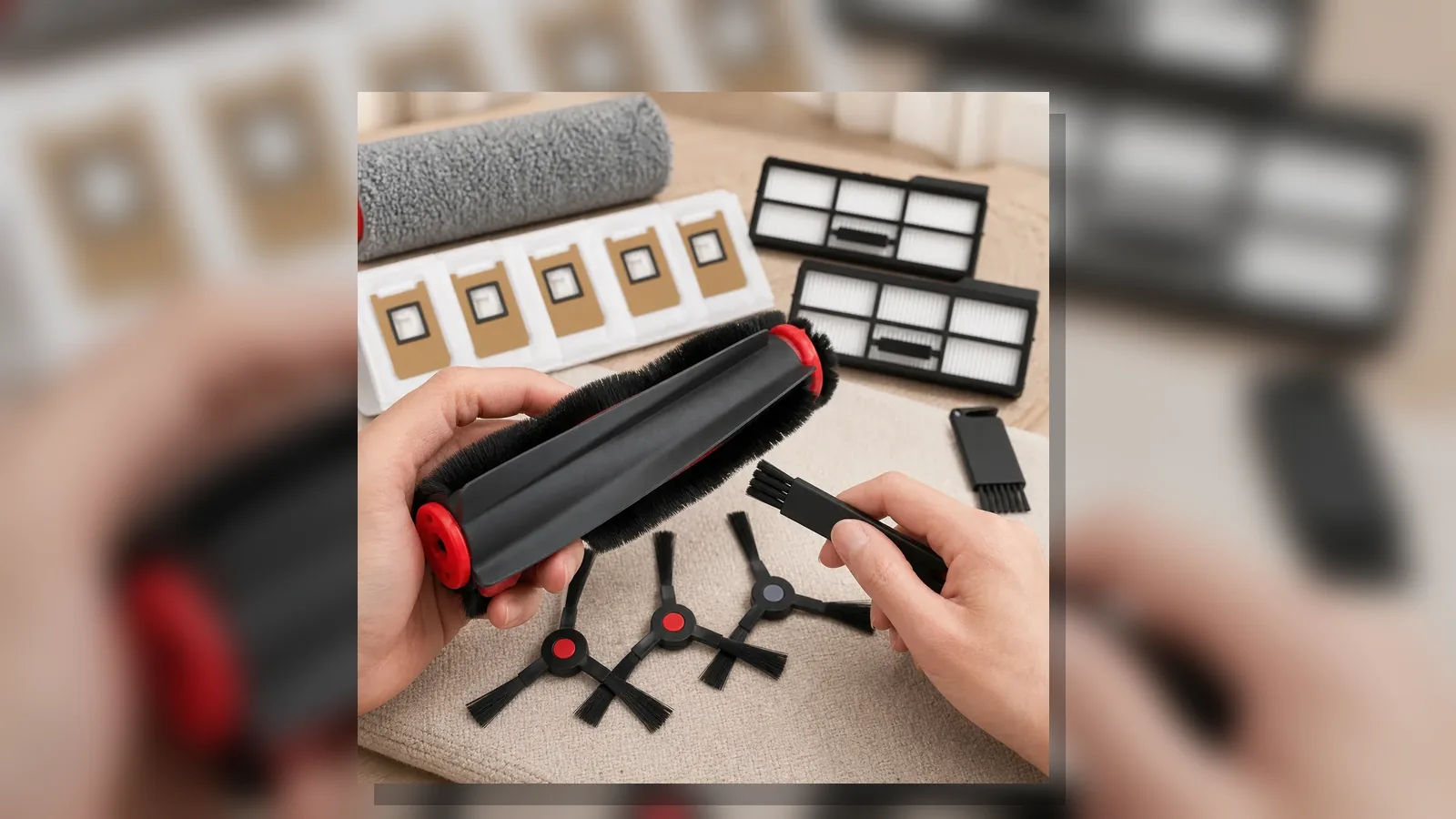
If the ladder above does not help, wear is the next likely cause. Filters clog permanently over time; brushes fray or flatten; bags seal poorly when damaged. A Compatible refill kit scoped to the Eufy E25 Omni and E28 Omni only groups the usual accessory families: main brush, roller mop, side brush, filter, dust bag and cleaning-brush accessories. Exact pack quantities are not confirmed for publication, so match the worn part you need rather than assuming a fixed count. Use Eufy only as model compatibility wording — not as the brand of the kit itself.
What not to do: reinstall a damp filter; force wrong-model bags
- Do not reinstall a damp filter. Wait until it is fully dry, or use a dry spare if you have one.
- Do not force bags or parts made for other robot models. Wrong-model bags can leak, sit poorly or block the station path.
- Do not treat weak suction as a promise of restored factory performance percentages; aim for clear airflow and intact consumables, then reassess.
Short FAQ on noise vs suction and when to escalate beyond parts
Is louder noise the same as weak suction?
Not always. Extra noise can come from debris on brushes, a strained fan path or a full bag, while weak pickup is more about blocked airflow or worn contact parts. Work the same ladder: bag, dry filter, brushes, ducts.
When should I escalate beyond parts?
If the bag, filter, brushes and ducts are clear, replacements that fit the E25 Omni / E28 Omni still leave a sharp drop in pickup, odd smells, error messages or unusual motor sounds, escalate to the robot’s support path or a qualified technician rather than swapping more accessories at random.
Next step to Compatible E25/E28 refill kit after the fix ladder
Once you have worked through bag, filter, brush and duct checks, replace only the worn families you need from a Compatible kit for the Eufy E25 Omni and E28 Omni. Review the Compatible E25 Omni and E28 Omni replacement accessories kit when cleaning alone no longer restores steady pickup.